

Can I connect Facebook Pages, Lead Ads and Instagram to FansaChat?
Short answerYes, with your own free Meta app. Meta is still reviewing FansaChat’s own app, so the one-click Facebook and Instagram sign-in is not on yet. You create a free app on Meta for Developers, paste its App ID and App secret into the FansaChat chat, and connect as usual. One-click comes back after Meta’s review.
What works with Facebook and Instagram, and what is waiting?
| App | Status | What you need |
|---|---|---|
| Facebook Pages, Lead Ads, Instagram | Works with your own app | A free Meta app of your own (needs a Facebook account) |
| FansaChat one-click sign-in | Not available | Waiting for Meta’s review of our app |
Facebook Pages, Facebook Lead Ads and Instagram (Business or Creator accounts) all go through Meta’s sign-in. Meta’s documentation says an app that reads lead data, or serves people who have no role on it, needs App Review and Advanced Access, and Advanced Access needs Business Verification. That review is still open for FansaChat, so we cannot offer the one-click button yet.
Your own app is different. An app you create yourself can be used by the people who have a role on it, which is you, while it stays in development mode, without waiting for anyone’s review. The connection then belongs to you and lives inside your own FansaChat workspace.
How do I connect it in FansaChat?
Everything below happens in the app chat. There is no form on this website.
- Describe the workflow. For example “When a Facebook lead comes in, add it to Google Sheets.” FansaChat draws it and lists the apps it needs.
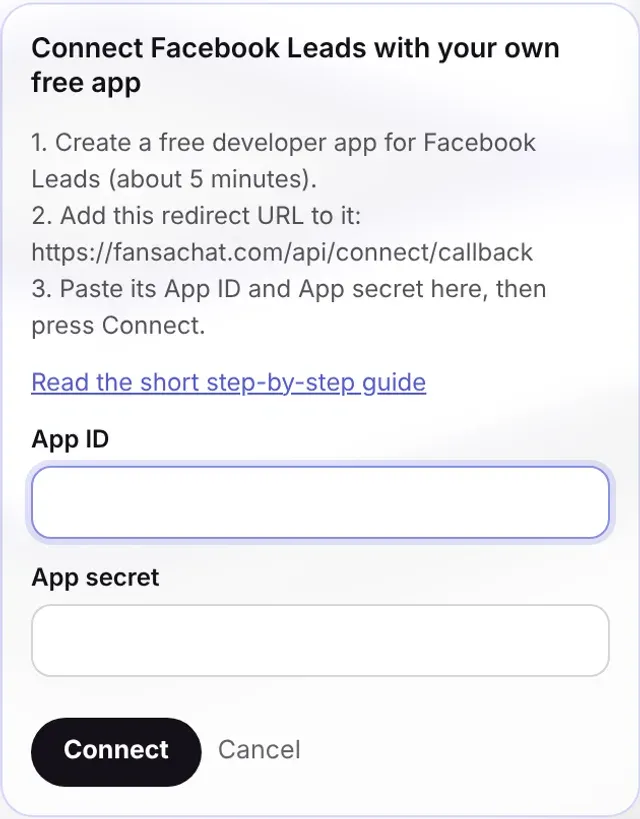
- Press Connect on the Facebook step. The chat shows a card titled “Connect Facebook Leads with your own free app” with the three steps and two fields.
- Create the free Meta app. Follow the step-by-step guide (about five minutes). Add this redirect URL to it:
https://fansachat.com/api/connect/callback - Paste the App ID and App secret into the card and press Connect. A Meta window opens; choose your Pages or Instagram account and approve.
- Check the flow and approve it. You see every step before anything runs.
Good to know
- Instagram needs a Business or Creator account that is linked to a Facebook Page.
- The App secret is sent once, sealed, and stored only inside your own connection. The field in the chat is cleared the moment you press Connect.
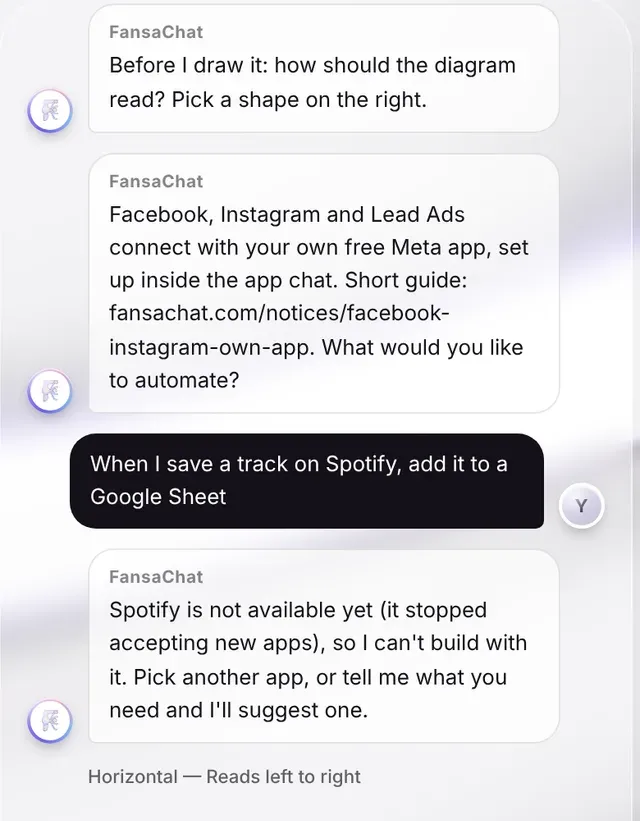
- If you ask the chat “Can I connect Facebook?”, it answers with the same pointer.
What can I use while Meta reviews our app?

Lead Ads to a spreadsheet. Download your leads from Meta’s Leads Center as a CSV, keep them in Google Sheets, and let FansaChat watch the sheet and tell your team in Slack or Gmail.

Posting to Facebook and Instagram. Schedule posts in Meta Business Suite, or use a scheduler such as Buffer, and let FansaChat prepare the content and the reminders.
Sources
- Meta for Developers: create an app
- Meta for Developers: app modes (Development and Live)
- Meta for Developers: Lead Ads (leads_retrieval needs App Review)
Checked against the vendors’ public documentation on 20 November 2026. Vendors change these rules, so check their page before you start.
Frequently asked questions
Is a Meta developer app really free?
Meta’s documentation lists no fee for creating an app. You need a Facebook account.
Do I need to pass Meta’s review for my own app?
Not to use it yourself. In development mode an app can request permissions from the people who have a role on it, which is you. Serving other people needs App Review, Advanced Access and Business Verification.
When does the one-click Facebook sign-in come back?
After Meta finishes reviewing FansaChat’s app. We will update this page then. We do not have a date to give you.
Can I connect from this page?
No. Connecting happens inside the FansaChat app chat, where you are signed in. This page only explains it.

